






25 ChatGPT Prompts Every Project Engineer Should Save in 2026: Practical Prompts, Workflows and Examples
Save these 25 practical ChatGPT prompts for project engineers. Use them for planning, scheduling, MOM, risk analysis, vendor follow-up, project reports, delays, documentation, and daily engineering coordination.
25 ChatGPT Prompts Every Project Engineer Should Save in 2026
Project engineers handle pressure from every side.
Clients want updates. Vendors need clarification. Site teams need drawings. Management wants progress reports. Procurement wants technical input. Quality teams ask for inspection documents. Planning teams need activity status. And somehow, everything is urgent.
This is why ChatGPT prompts for project engineers are becoming useful in daily work.
A project engineer cannot depend only on memory, scattered emails, or rough notes. Good project execution needs structure. ChatGPT can help you prepare that structure faster.
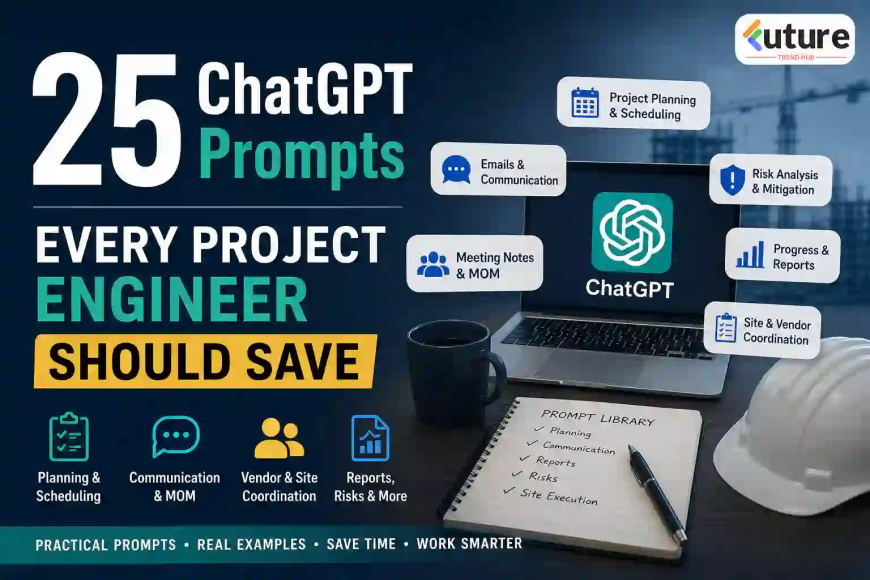
In this article, you will learn 25 practical ChatGPT prompts every project engineer should save. These prompts are useful for planning, reporting, MOM, delay analysis, vendor coordination, risk tracking, documentation, commissioning, and project communication.
The goal is simple: save time, improve clarity, and avoid missing important points.
Why Project Engineers Should Use ChatGPT Prompts Daily
Project engineering is not only about technical knowledge. It is about coordination.
A project engineer connects many teams:
- Client
- Consultant
- Design team
- Procurement
- Vendor
- Site team
- Quality team
- Safety team
- Planning team
- Management
In real projects, small communication gaps can create big delays. A missing drawing comment, unclear email, poor MOM, or weak follow-up can disturb the schedule.
ChatGPT helps project engineers by converting rough information into clear formats.
It can help with:
- Drafting professional emails
- Preparing meeting minutes
- Creating action trackers
- Making work breakdown structures
- Summarizing project documents
- Preparing progress reports
- Analyzing delays
- Creating vendor queries
- Making inspection checklists
- Writing risk registers
But the result depends on the prompt.
A weak prompt gives a weak answer. A clear prompt gives a useful output.
How to Use These Prompts Correctly
Before using any prompt, add your project context.
For example, instead of asking:
Prepare a project report.
Ask:
Prepare a weekly project progress report for installation of a CNC machine at an industrial plant. Include completed activities, pending activities, delays, risks, support required, and next week plan.
The second prompt is much better.
Simple Prompt Formula for Project Engineers
Use this format:
| Prompt Element | Example |
|---|---|
| Role | Act as a project engineer |
| Task | Prepare a progress report |
| Project context | For equipment installation at a steel plant |
| Details | Include delay reasons, pending drawings, vendor support |
| Output format | Give table format with action points |
| Tone | Professional and concise |
Best Working Prompt Structure
Use this structure:
Act as a project engineer.
Prepare [required document/output].
Context: [project details].
Include [important points].
Format it as [table/email/report/checklist].
Keep it professional, practical, and clear.
25 ChatGPT Prompts Every Project Engineer Should Save
Below are 25 practical prompts arranged by real project engineering activities.
You can copy, modify, and use them in daily work.
1. Project Planning Prompts
Project planning is the foundation of execution. A project engineer must understand scope, activities, sequence, dependencies, manpower, material, tools, and risks.
Prompt 1: Create a Work Breakdown Structure
Use when: You are starting a new project or preparing a planning document.
Prompt:
Act as a project engineer. Create a detailed Work Breakdown Structure for [project name]. The project scope includes [brief scope]. Divide the work into engineering, procurement, manufacturing, inspection, dispatch, site installation, commissioning, documentation, and handover. Present it in table format with activity code, activity description, responsible team, required input, and expected output.
Practical example
For a mechanical equipment installation project, this prompt can create a structured WBS covering drawing approval, material procurement, foundation readiness, equipment receipt, erection, alignment, trial run, and handover.
Prompt 2: Prepare a Project Execution Plan
Use when: Management or client asks for execution methodology.
Prompt:
Act as a project execution engineer. Prepare a project execution plan for [project type]. Include scope understanding, execution sequence, resource planning, safety requirements, quality checks, coordination requirements, documentation, risk points, and handover process. Keep the language professional and practical.
Prompt 3: Create a Project Activity Sequence
Use when: You need to explain how the work will proceed.
Prompt:
Act as a planning engineer. Prepare a logical activity sequence for [project work]. Include predecessor and successor activities, key dependencies, required approvals, material availability, site readiness, inspection stages, and commissioning steps. Present it in a table.
2. Scheduling and Progress Tracking Prompts
A project engineer may not always prepare the full Primavera or MS Project schedule, but they must understand activity status and delays.
Prompt 4: Prepare a Weekly Progress Report
Use when: You need a weekly update for client or management.
Prompt:
Act as a project engineer. Prepare a weekly progress report for [project name]. Include completed activities, ongoing activities, planned activities for next week, pending inputs, delays, risks, support required, and key decisions needed. Present it in a clean professional format.
Prompt 5: Convert Site Updates into a Progress Summary
Use when: You have rough site notes and need a clean report.
Prompt:
Convert the following rough site updates into a professional project progress summary. Group the points under engineering, procurement, site work, inspection, commissioning, delays, and action required. Keep it concise and suitable for sharing with management.
Site updates: [paste rough updates]
Prompt 6: Create an Action Tracker
Use when: You need to track responsibilities after meetings or site reviews.
Prompt:
Act as a project coordinator. Create an action tracker from the following points. Include action item, responsible person/team, target date, priority, current status, dependency, and remarks.
Points: [paste meeting notes or action points]
Example action tracker
| Action Item | Responsibility | Target Date | Priority | Status | Dependency |
|---|---|---|---|---|---|
| Submit revised GA drawing | Vendor | 15 Feb | High | Pending | Client comments |
| Release foundation drawing | Design team | 18 Feb | High | In progress | Load data |
| Arrange installation tools | Site team | 20 Feb | Medium | Pending | Material receipt |
3. Meeting, MOM and Communication Prompts
Project engineers attend many meetings. A good MOM protects the project from confusion.
Prompt 7: Prepare Minutes of Meeting
Use when: You need professional MOM after a client, vendor, or internal meeting.
Prompt:
Act as a project engineer. Prepare Minutes of Meeting from the following discussion points. Include meeting date, participants, agenda, discussion summary, decisions taken, action items, responsibility, target date, and pending issues. Keep the tone formal and clear.
Discussion points: [paste notes]
Prompt 8: Rewrite a Rough Email Professionally
Use when: You need to send a clear email to client, vendor, or internal team.
Prompt:
Rewrite the following email professionally. Keep the meaning same. Make it polite, clear, and firm. Use a project engineering communication style.
Draft email: [paste draft]
Prompt 9: Prepare a Follow-Up Email
Use when: Vendor or client has not replied.
Prompt:
Draft a professional follow-up email for pending [drawing/document/material/technical clarification]. Mention that the response is required to avoid project delay. Keep the tone polite but urgent. Context: [write details].
Prompt 10: Summarize Long Email Trail
Use when: You need to understand a long discussion quickly.
Prompt:
Summarize the following email trail from a project engineer’s point of view. Identify the main issue, current status, pending action, responsible party, risk to project schedule, and recommended next step.
Email trail: [paste content]
4. Vendor and Procurement Coordination Prompts
Project engineers regularly coordinate with vendors for drawings, datasheets, inspection, dispatch, and commissioning.
Prompt 11: Prepare Vendor Technical Query
Use when: Vendor information is incomplete.
Prompt:
Act as a project engineer. Prepare a technical query to the vendor for [equipment/system]. Ask for missing technical details such as datasheet, GA drawing, foundation details, utility requirement, power requirement, control philosophy, inspection plan, commissioning support, and documentation. Keep it professional.
Prompt 12: Create Technical Bid Comparison
Use when: You need to compare vendor offers.
Prompt:
Create a technical comparison table for the following vendor offers. Compare scope, capacity, technical parameters, utilities, standards, accessories, exclusions, warranty, delivery, commissioning support, and deviations. Highlight missing information and clarification required.
Vendor data: [paste offer details]
Prompt 13: Prepare Vendor Drawing Comment Sheet
Use when: Reviewing vendor drawings.
Prompt:
Act as a mechanical project engineer. Prepare a vendor drawing review comment sheet for [drawing name/equipment]. Include comment number, drawing reference, observation, required correction, priority, responsibility, and status. Use table format.
Prompt 14: Draft Vendor Delay Notice
Use when: Vendor delay affects the project.
Prompt:
Draft a professional email to a vendor regarding delay in submission of [drawing/material/document]. Mention the agreed timeline, current delay, impact on project schedule, request for immediate action, and requirement for revised commitment date. Keep the tone firm but professional.
5. Risk, Delay and Issue Management Prompts
Every project has problems. Good project engineers do not hide issues. They track, communicate, and resolve them.
Prompt 15: Prepare Project Risk Register
Use when: You want to identify possible project risks.
Prompt:
Act as a project risk coordinator. Prepare a risk register for [project type]. Include risk description, category, probability, impact, risk rating, early warning sign, mitigation plan, contingency plan, owner, and status.
Prompt 16: Analyze Project Delay
Use when: You need to explain why a project is delayed.
Prompt:
Act as a project control engineer. Analyze the following project delay. Identify root causes, affected activities, dependency impact, responsible parties, mitigation actions, recovery plan, and communication points for management.
Delay details: [paste details]
Prompt 17: Prepare Issue Register
Use when: Multiple open points are disturbing execution.
Prompt:
Create a project issue register for the following open points. Include issue number, description, category, impact, priority, responsible team, target date, current status, and next action.
Open points: [paste list]
Prompt 18: Prepare Recovery Action Plan
Use when: Project is behind schedule.
Prompt:
Act as a project manager. Prepare a recovery action plan for a delayed project. Include activities to fast-track, parallel work opportunities, manpower increase, vendor follow-up, engineering clearance, site readiness, risk control, and daily monitoring method.
6. Site Execution and Installation Prompts
Site execution requires careful planning. A missing tool, drawing, or clearance can stop work.
Prompt 19: Prepare Site Readiness Checklist
Use when: Equipment is ready for installation but site readiness is uncertain.
Prompt:
Prepare a site readiness checklist for installation of [equipment/system]. Include civil foundation readiness, anchor bolts, access clearance, lifting arrangement, power supply, utilities, safety clearance, manpower, tools, inspection points, and documentation.
Prompt 20: Prepare Installation Method Statement
Use when: Client asks for installation methodology.
Prompt:
Act as a site project engineer. Prepare an installation method statement for [equipment/system]. Include objective, scope, references, manpower, tools and tackles, safety precautions, pre-installation checks, step-by-step installation procedure, inspection points, quality checks, and handover documents.
Prompt 21: Create Pre-Commissioning Checklist
Use when: Equipment installation is complete and testing is about to start.
Prompt:
Create a pre-commissioning checklist for [equipment/system]. Include mechanical checks, electrical checks, lubrication, alignment, fasteners, guards, interlocks, utilities, trial readiness, safety checks, documentation, and client witness points.
Prompt 22: Prepare Commissioning Report Format
Use when: You need a structured commissioning document.
Prompt:
Prepare a commissioning report format for [equipment/system]. Include project details, equipment details, pre-commissioning checks, no-load trial, load trial, observations, abnormalities, corrective actions, pending points, recommendations, and sign-off section.
7. Quality, Safety and Documentation Prompts
Project engineers must manage quality and safety documents even when specialist teams are involved.
Prompt 23: Prepare Inspection Checklist
Use when: Material or equipment inspection is planned.
Prompt:
Act as a quality engineer. Prepare an inspection checklist for [equipment/material]. Include document verification, dimensional checks, visual inspection, material certificate review, functional checks, painting/coating inspection, packing inspection, and acceptance criteria.
Prompt 24: Create Safety Risk Assessment
Use when: You need to plan high-risk site work.
Prompt:
Prepare a job safety risk assessment for [activity]. Include hazards, possible consequences, existing controls, additional precautions, PPE, permit requirements, emergency response, and responsible persons. Present it in table format.
Prompt 25: Prepare Document Submission Tracker
Use when: Many project documents are pending.
Prompt:
Create a project document submission tracker for [project name]. Include document name, document number, revision, responsible team, planned submission date, actual submission date, client status, comments received, resubmission date, and current status.
8. Best Prompt Workflow for Daily Project Engineering
Using one prompt is helpful. But using prompts in a workflow is more powerful.
Example: Weekly Project Review Workflow
| Step | ChatGPT Task | Output |
|---|---|---|
| 1 | Summarize site updates | Progress summary |
| 2 | Prepare action tracker | Responsibility table |
| 3 | Identify delays | Delay note |
| 4 | Create risk points | Risk register |
| 5 | Draft email to client | Professional update |
| 6 | Prepare internal report | Management summary |
Sample workflow prompt
Act as a project engineer. I will provide weekly project updates. First summarize the progress, then identify delays, then prepare an action tracker, then draft a client update email. Keep all outputs practical and professional.
Updates: [paste updates]
This type of combined prompt can save a lot of time.
9. Practical Industry Scenarios Where These Prompts Help
Scenario 1: Vendor Drawing Delay
The vendor has not submitted revised drawings. Site work is affected.
Useful prompts:
- Prompt 9: Follow-up email
- Prompt 13: Drawing comment sheet
- Prompt 14: Vendor delay notice
- Prompt 17: Issue register
Scenario 2: Equipment Installation at Site
Equipment has reached the site, but foundation, tools, and lifting arrangement must be checked.
Useful prompts:
- Prompt 19: Site readiness checklist
- Prompt 20: Installation method statement
- Prompt 21: Pre-commissioning checklist
Scenario 3: Client Weekly Review Meeting
Client wants a clear update with pending issues and responsibility.
Useful prompts:
- Prompt 4: Weekly progress report
- Prompt 7: MOM
- Prompt 15: Risk register
- Prompt 18: Recovery action plan
Scenario 4: Procurement Technical Comparison
Purchase team needs technical comments on two vendor offers.
Useful prompts:
- Prompt 11: Vendor technical query
- Prompt 12: Technical bid comparison
- Prompt 23: Inspection checklist
10. Prompt Comparison Table: Weak vs Strong Prompts
| Weak Prompt | Strong Prompt |
|---|---|
| Make MOM | Prepare MOM with agenda, discussion, decisions, action items, responsibility, and target dates |
| Write email to vendor | Draft a firm but polite email to vendor for delay in GA drawing submission and mention schedule impact |
| Make checklist | Prepare site readiness checklist for installation of 10-ton industrial equipment |
| Analyze delay | Analyze delay due to late foundation readiness and prepare recovery action plan |
| Make report | Prepare weekly progress report with completed work, pending work, risks, delays, and next week plan |
A strong prompt gives role, context, output format, and expected details.
Pro Tip: Create Your Own Project Prompt Library
Do not search for prompts again and again. Create a personal prompt library.
You can save prompts under these folders:
- Planning prompts
- Email prompts
- MOM prompts
- Vendor prompts
- Site execution prompts
- Quality prompts
- Safety prompts
- Delay analysis prompts
- Commissioning prompts
- Reporting prompts
Also create project-specific versions.
For example:
- Prompts for steel plant projects
- Prompts for HVAC projects
- Prompts for construction projects
- Prompts for machine installation
- Prompts for electrical and automation coordination
- Prompts for EPC projects
This makes ChatGPT much more useful in daily project work.
Common Mistakes Project Engineers Should Avoid
1. Using vague prompts
Do not ask, “Make report.”
Ask for the exact report type, format, and project context.
2. Copying output without checking facts
ChatGPT may create polished text, but you must verify dates, commitments, technical details, and responsibilities.
3. Ignoring project documents
Always compare AI output with:
- Purchase order
- Contract
- Approved drawings
- Technical specification
- MOM
- Inspection plan
- Project schedule
- Client communication
4. Sharing confidential data carelessly
Do not paste sensitive commercial details, client documents, contract values, or confidential drawings unless your organization permits it.
5. Not giving enough context
The more specific your input, the better the result.
Include:
- Project type
- Equipment name
- Current issue
- Required output
- Audience
- Deadline
- Technical constraints
6. Using ChatGPT as final authority
ChatGPT is a support tool. Final project decisions must come from authorized engineers, project managers, client approvals, and contract requirements.
Limitations of ChatGPT for Project Engineers
ChatGPT is powerful, but it cannot replace project control systems, engineering judgment, or official documents.
| Area | Limitation |
|---|---|
| Schedule analysis | Needs actual baseline and updated schedule |
| Contract interpretation | Needs legal or commercial review |
| Technical approval | Cannot replace authorized engineer approval |
| Cost impact | Needs verified rates and contract terms |
| Site status | Depends on actual site inputs |
| Vendor commitment | Cannot verify unless vendor data is provided |
| Safety compliance | Must follow approved safety procedures |
| Delay responsibility | Must be based on documented evidence |
Use ChatGPT for drafting, structuring, checking, summarizing, and planning. Do not use it as the final source of truth.
Future Trends: ChatGPT and AI for Project Engineers
Project engineering is becoming more digital. AI tools will become more common in planning, reporting, documentation, and coordination.
1. AI-based project dashboards
AI may help summarize project status from emails, schedules, reports, and action trackers.
2. Faster document control
Project engineers may use AI to find pending documents, revisions, comments, and approval status faster.
3. Automated MOM and action tracking
Meeting notes may automatically convert into MOM, action trackers, and follow-up emails.
4. AI-supported delay analysis
AI may help compare baseline schedules, actual progress, and delay events to prepare preliminary delay reports.
5. Better risk prediction
AI can help detect patterns from previous projects and identify early warning signs.
6. Multimodal project assistance
AI tools can increasingly work with text, drawings, spreadsheets, emails, images, and reports. This will help project engineers manage complex information faster.
FAQ: 25 ChatGPT Prompts Every Project Engineer Should Save
1. What are the best ChatGPT prompts for project engineers?
The best prompts are those related to weekly reports, MOM, action trackers, vendor follow-up, risk registers, delay analysis, site readiness checklists, installation method statements, commissioning reports, and document trackers.
2. Can ChatGPT help project engineers prepare MOM?
Yes. ChatGPT can convert rough meeting notes into a professional MOM with agenda, discussion summary, decisions, action items, responsibility, and target dates. The project engineer must verify names, dates, and commitments before sharing.
3. Can ChatGPT prepare project progress reports?
Yes. It can prepare daily, weekly, or monthly progress reports if you provide activity updates, completed work, pending points, delays, risks, and next plan.
4. Can project engineers use ChatGPT for delay analysis?
Yes, but only for preliminary analysis. ChatGPT can organize delay reasons, affected activities, dependencies, and recovery actions. Final delay analysis should be based on approved schedule, contract conditions, and documented evidence.
5. Is ChatGPT useful for vendor coordination?
Yes. It can draft vendor follow-up emails, technical queries, drawing comment sheets, bid comparison tables, and delay notices.
6. Can ChatGPT replace project management software?
No. ChatGPT cannot replace Primavera P6, MS Project, ERP, document control systems, or official project dashboards. It can support writing, summarizing, planning, and analysis.
7. How should beginners use ChatGPT in project engineering?
Beginners should use ChatGPT for understanding project workflows, preparing checklists, writing emails, making action trackers, and learning how to structure reports. They should always verify with seniors and approved project documents.
8. Are ChatGPT prompts safe for confidential projects?
Only if your company allows it and the platform is approved for such use. Avoid sharing confidential contracts, drawings, prices, client data, and internal commercial information without permission.
Key Takeaways
- Project engineers can save time by using reusable ChatGPT prompts.
- The most useful areas are planning, reporting, MOM, vendor coordination, delay analysis, site execution, quality, safety, and documentation.
- A good prompt should include role, context, task, details, format, and tone.
- ChatGPT output must be verified against project documents, contract requirements, drawings, and actual site status.
- Do not use ChatGPT as final authority for contractual, commercial, safety, or technical decisions.
- Build a personal prompt library for faster daily project work.
Read Also >>
How Mechanical Engineers Can Use ChatGPT Daily in 2026
How Engineers Can Create MOM Reports in Minutes Using AI
What's Your Reaction?
 Like
0
Like
0
 Dislike
0
Dislike
0
 Love
0
Love
0
 Funny
0
Funny
0
 Angry
0
Angry
0
 Sad
0
Sad
0
 Wow
0
Wow
0