





Birthday Invitation Card Design Using AI: Create Beautiful Cards in Minutes in 2026
Create birthday invitation card design using AI with easy prompts, themes, colors, layouts, WhatsApp sizes, and pro tips for stunning invites.
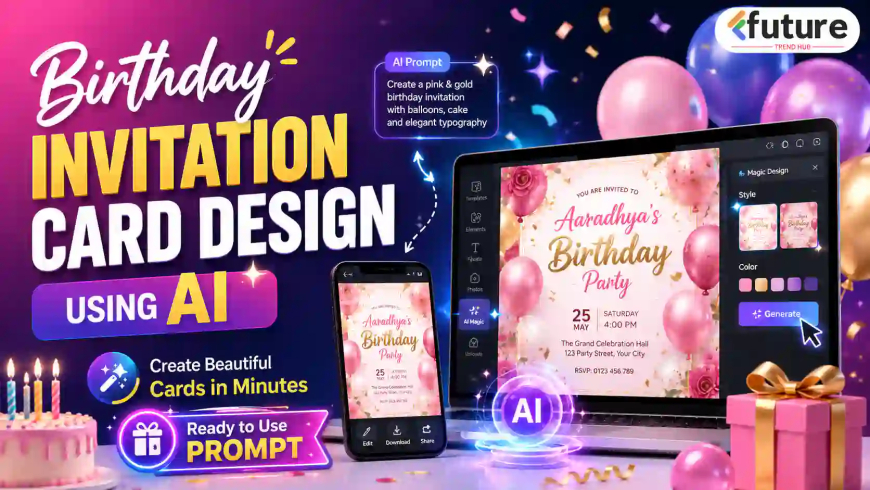
Birthday Invitation Card Design Using AI: Create Beautiful Cards in Minutes
Let’s be honest… planning a birthday party is exciting, but creating a beautiful invitation card can sometimes feel confusing. You may have the date, venue, theme, and guest list ready, but when it comes to design, many people get stuck.
This is where birthday invitation card design using AI becomes very useful. With the right idea and a clear prompt, even a beginner can create a professional-looking digital invitation card in minutes.
The best part is that you can create cards that feel personal, premium, and unique.
Important Details to Include in a Birthday Invitation Card
A birthday invitation card should look attractive, but it should also be clear. Many people focus too much on design and forget basic information. That is a common mistake.
Your birthday invitation card should include:
- Birthday person’s name
- Age or birthday milestone
- Event title
- Date of celebration
- Time
- Venue or address
- RSVP/contact number
- Host name or family name
- Theme or dress code, if any
- Short invitation message
- Map/location note, if needed
Step-by-Step Process to Create Birthday Invitation Card Using AI
Creating a birthday invitation card using AI is simple when you follow the right process.
Step 1: Decide the Card Purpose
First, decide where you will use the card.
Ask yourself:
- Is it for Social Media? Is it for printing? Is it for family sharing?
The purpose decides the size, style, and text length.
Step 2: Select Theme and Size
Choose a theme based on the birthday person and event mood.
Examples:
- Princess theme for a little girl
- Superhero theme for a child
- Luxury theme for adults
- Minimal theme for office celebration
- Floral theme for women’s birthday
Then select the size. For WhatsApp, use vertical format. For print, use 5x7 inch or A5.
Step 2: Write Event Details
Before creating the design, prepare all details in one place.
Write:
- Name
- Age
- Date
- Time
- Venue
- RSVP
- Theme
- Dress code
- Short message
This avoids editing again and again.
Step 4: Use Our Ready-to-use Prompt for ChatGPT, Google Gemini, Grok or any other AI.
3–4 Ready-to-Use AI Prompts for Birthday Invitation Card Design
Below are practical birthday invitation card prompts you can copy and customize.
Prompt 1: Modern Digital Birthday Invitation Card
“Create a modern and elegant birthday invitation card for a birthday celebration. Use a clean premium layout with soft pastel colors like peach, cream, lavender, and white. Add space for birthday person’s name, age, date, time, venue, and RSVP details. Use stylish readable fonts, soft background elements, balloons, cake icons, and a balanced composition suitable for WhatsApp sharing and social media. Keep the design professional, attractive, and uncluttered.”
Prompt 2: Cute Kids Birthday Invitation Card
“Create a cute kids birthday invitation card for a child’s birthday party. Use a colorful pastel theme with balloons, birthday cake, stars, clouds, gifts, and playful cartoon-style elements. Keep the main text area clear for name, age, date, time, venue, and RSVP. Use fun but readable fonts. The card should look cheerful, friendly, and perfect for sharing with family, school friends, and WhatsApp groups. Use vertical mobile-friendly size.”
Prompt 3: Premium Luxury Birthday Invitation Card
“Design a premium luxury birthday invitation card with a royal and elegant look. Use black and gold color combination, soft glowing lights, premium typography, elegant borders, and a classy background. Add enough space for event name, birthday person’s name, date, time, venue, dress code, and RSVP. Make it suitable for high-quality digital sharing and printing. The design should look expensive, clean, and professional.”
Prompt 4: Princess Birthday Invitation Card
“Create a beautiful princess-themed birthday invitation card for a little girl’s birthday party. Use soft pink, lavender, sky blue, white, and gold colors. Add a dreamy fairy-tale background with castle, clouds, crown, butterflies, flowers, balloons, and sparkles. Keep the birthday girl’s name as the main focus with clear space for age, date, time, venue, and RSVP details. Make the card look magical, cute, premium, and suitable for WhatsApp sharing.”
Common Mistakes to Avoid in Birthday Invitation Card Design
Even a beautiful card can fail if basic design mistakes are not avoided.
1. Adding Too Much Text
2. Poor Font Selection
3. Low Contrast
4. Wrong Spelling of Names
5. Missing Date, Time, or Venue
6. Overcrowded Layout
7. Using Too Many Colors
8. Not Checking Mobile Readability
9. Forgetting RSVP Details
10. Not Matching Design With Event Mood
How to Make a Birthday Invitation Card Look Premium
A premium invitation card does not always mean expensive design. It means clean, balanced, and thoughtful design.
Use these ideas:
-
Add soft shadows
-
Use gold or metallic accents carefully
-
Keep fonts elegant
-
Use high-quality background
-
Avoid clutter
-
Keep alignment neat
-
Use a clear hierarchy
-
Add a beautiful border or frame
-
Use a strong main heading
Premium design is mostly about control. Thoda simple rakho, but polished rakho.
For example, a black and gold birthday invitation with clean typography can look much more expensive than a card full of random graphics.
Best Design Themes for Birthday Invitation Card Design Using AI
Theme selection is one of the most important parts of birthday invitation card design using AI. A good theme instantly improves the look of your card.
1. Cute Cartoon Theme
This works best for kids’ birthdays. You can use cartoon animals, teddy bears, balloons, clouds, stars, rainbows, or playful characters.
Best for:
-
1st birthday
-
5th birthday
-
Kids party
-
School friends invitation
Suggested colors:
-
Pink
-
Sky blue
-
Yellow
-
Lavender
-
Mint green
2. Princess Birthday Theme
A princess theme is perfect for girls’ birthday parties. It usually includes castles, crowns, butterflies, flowers, sparkles, and pastel colors.
Best for:
-
Girls’ birthday
-
Royal party theme
-
Fairy-tale celebration
Design elements:
-
Crown
-
Castle
-
Golden frame
-
Soft clouds
-
Floral border
3. Superhero Birthday Theme
This theme is very popular for boys and action-loving kids. It gives the card a bold and energetic look.
Best for:
-
Boys’ birthday
-
Fun activity parties
-
Costume parties
Suggested colors:
-
Red
-
Blue
-
Yellow
-
Black
-
White
4. Minimal Modern Theme
This is ideal for adults who want a clean and stylish birthday invitation. It avoids too many graphics and focuses on typography, spacing, and elegant colors.
Best for:
-
Adult birthday party
-
Office birthday celebration
-
Simple dinner party
-
Family gathering
Suggested colors:
-
Beige
-
White
-
Black
-
Gold
-
Soft brown
5. Premium Luxury Theme
If you want the card to look high-end, choose a luxury birthday invitation theme. It can include gold accents, dark backgrounds, soft lighting, premium fonts, and elegant borders.
Best for:
-
18th birthday
-
21st birthday
-
30th birthday
-
50th birthday
-
Hotel or banquet party
Suggested colors:
-
Black and gold
-
Navy blue and gold
-
Maroon and beige
-
Emerald green and gold
6. Floral Birthday Theme
Floral designs work beautifully for women’s birthday parties, garden parties, and elegant family celebrations.
Best for:
-
Mother’s birthday
-
Sister’s birthday
-
Wife’s birthday
-
Garden party
-
Brunch celebration
Suggested flowers:
-
Roses
-
Peonies
-
Lavender
-
Cherry blossoms
-
Tropical leaves
7. Neon Party Theme
This theme is great for teens and young adults. It gives a modern, energetic, and party-style look.
Best for:
-
Teen birthday
-
Dance party
-
Night party
-
DJ theme party
Suggested colors:
-
Purple
-
Neon pink
-
Blue
-
Black
-
Electric green
8. Photo-Based Birthday Invitation
This is one of the most personal styles. You can use a birthday person’s photo as the main focus and design the card around it.
Best for:
-
Kids birthday
-
Milestone birthday
-
Family invitation
-
Personalized WhatsApp card
From my experience, photo-based cards get more attention because they feel emotional and personal.
Best Colors, Fonts, and Layout Tips
A birthday invitation card should be beautiful, but readability is more important than decoration. If people cannot read the date, time, and venue clearly, the design fails.
Best Color Combinations
Here are some practical combinations:
-
Pink + White + Gold for girls’ birthday
-
Sky Blue + White + Yellow for boys’ birthday
-
Black + Gold for luxury birthday
-
Lavender + Peach for soft pastel cards
-
Red + Blue + Yellow for superhero theme
-
Green + Beige for garden party
-
Purple + Neon Pink for party theme
-
Cream + Brown + Gold for elegant adult birthday
Use only 2–3 main colors. Too many colors can make the card look cheap or confusing.
Font Pairing Tips
Fonts decide the mood of your card.
Use:
-
Playful fonts for kids’ birthday
-
Elegant script fonts for luxury cards
-
Bold fonts for superhero themes
-
Clean sans-serif fonts for modern invitations
-
Decorative fonts only for headings
Avoid using too many fonts. Two fonts are usually enough:
-
One font for heading
-
One font for details
For example:
-
Heading: Stylish script font
-
Details: Clean readable font
Layout Tips
A good birthday invitation layout should have a clear visual flow.
Follow this order:
-
Main heading
-
Birthday person’s name
-
Age or milestone
-
Short message
-
Date, time, and venue
-
RSVP details
Keep enough spacing between sections. Do not place everything too close.
Mobile-Friendly Design
Most birthday invitation cards are shared on WhatsApp. So, your card should be easy to read on a mobile screen.
Best sizes:
-
WhatsApp portrait card: 1080 x 1920 px
-
Instagram story invite: 1080 x 1920 px
-
Square social media card: 1080 x 1080 px
-
Printable card: 5 x 7 inches or A5 size
For WhatsApp, portrait format usually works better because it fills the mobile screen nicely.
FAQs About Birthday Invitation Card Design Using AI
1. How can I create a birthday invitation card using AI?
You can create a birthday invitation card using AI by writing a clear prompt that includes the birthday theme, colors, name, age, date, time, venue, and RSVP details. After generating the design, you can edit the text and export it for WhatsApp, social media, or print.
2. Which AI tool is best for birthday invitation card design?
There are many online AI design tools and template-based platforms that can help create birthday invitation cards. Choose a tool that allows text editing, image upload, size selection, and high-quality export. For beginners, Canva-style tools are usually easier.
3. Can I create a WhatsApp birthday invitation card using AI?
Yes, you can easily create a WhatsApp birthday invitation card using AI. Use a vertical mobile-friendly size like 1080 x 1920 px, keep the text large, and avoid too many small details.
4. What details should be included in a birthday invitation card?
A birthday invitation card should include the birthday person’s name, age, date, time, venue, RSVP contact, host name, theme, dress code if required, and a short invitation message.
5. Can beginners create birthday invitation cards using AI?
Yes, beginners can create birthday invitation cards using AI. You only need to describe your design idea properly. AI can help with layout, theme, colors, and background. After that, you can customize the details.
6. How do I make my AI birthday invitation card look professional?
To make your card look professional, use readable fonts, 2–3 colors, proper spacing, clear text alignment, and a matching theme. Avoid overcrowding the card with too many elements.
7. Can I print AI-generated birthday invitation cards?
Yes, you can print AI-generated birthday invitation cards. Export the final card in high resolution, preferably PDF or PNG. Use print-friendly size like 5 x 7 inches or A5.
8. What size is best for digital birthday invitation cards?
For WhatsApp and Instagram stories, 1080 x 1920 px is a good size. For social media posts, 1080 x 1080 px works well. For printing, 5 x 7 inches or A5 size is commonly used.
What's Your Reaction?
 Like
0
Like
0
 Dislike
0
Dislike
0
 Love
0
Love
0
 Funny
0
Funny
0
 Angry
0
Angry
0
 Sad
0
Sad
0
 Wow
0
Wow
0