



How Engineers Can Create MOM Reports in Minutes Using AI (2026 Practical Guide)
Learn how engineers can create MOM reports in minutes using AI tools. Discover practical workflows, examples, templates, common mistakes, and time-saving strategies for project engineers in 2026.

How Engineers Can Create MOM Reports in Minutes Using AI (2026 Practical Guide)
Introduction
If you work as a project engineer, site engineer, maintenance engineer, quality engineer, or manager, you already know the pain of creating MOM reports.
The meeting may finish in 30 minutes, but preparing the Minutes of Meeting (MOM) often takes another 30–60 minutes. You open your notebook, try to remember discussions, organize action items, assign responsibilities, and format everything properly.
Now imagine finishing a meeting and getting a structured MOM report in less than 3 minutes.
That is where AI changes the workflow.
Today AI tools can listen to discussions, convert speech to text, summarize key decisions, identify responsibilities, and generate a professional MOM format automatically.
In this guide, you will learn:
- How AI creates MOM reports
- Practical workflows engineers can use
- Real industry examples
- Common mistakes
- AI limitations
- Best practices for accurate MOM generation
What Is an MOM Report?
A Minutes of Meeting (MOM) report is a document that records:
- Meeting date and time
- Attendees
- Agenda discussed
- Decisions taken
- Action items
- Responsibility allocation
- Target completion dates
A typical engineering MOM may look like:
| Topic | Discussion | Responsibility | Target Date |
|---|---|---|---|
| Pump installation | Foundation issue observed | Civil team | 15 June |
| Electrical cabling | Additional cable tray required | Electrical team | 17 June |
| Equipment delivery | Delay from supplier | Procurement | 20 June |
Without a structured MOM, projects easily become chaotic.
Why Traditional MOM Preparation Takes Too Much Time
Engineers usually face these problems:
Manual note-taking
- Missing discussion points
- Incomplete action items
- Difficult handwriting
- Forgetting key decisions
Multiple participants speaking together
In large meetings:
- Site teams
- Consultants
- Vendors
- Clients
- Contractors
Important information can be missed.
Formatting effort
Many engineers spend significant time:
- Rearranging content
- Correcting grammar
- Creating tables
- Writing email summaries
AI reduces much of this repetitive work.
How AI Creates MOM Reports
AI generally follows this workflow:
Meeting Audio → Speech Recognition → Text Conversion → AI Summary → MOM Formatting
Workflow:
- Record meeting
- Upload audio or transcript
- AI identifies discussion points
- AI extracts decisions
- AI assigns action items
- AI generates structured MOM
Result:
Instead of writing everything manually, engineers mainly review and approve.
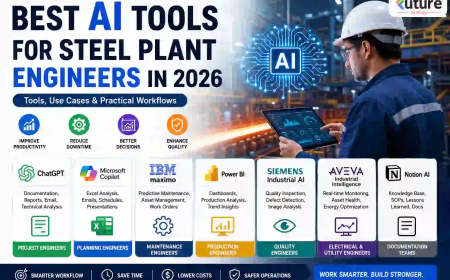
AI Tools Engineers Can Use for MOM Creation
| Tool | Best Use | Advantages |
|---|---|---|
| ChatGPT | MOM summarization | Flexible formatting |
| Microsoft Copilot | Office workflow integration | Works with Teams |
| Otter.ai | Meeting transcription | Live notes |
| Notion AI | Documentation | Organized workspace |
| Fireflies AI | Automatic meeting capture | Action tracking |
Different organizations may prefer different tools depending on security policies.
Practical Workflow for Project Engineers
Let us take a practical scenario.
Scenario:
Weekly project review meeting for a steel plant installation project.
Meeting participants:
- Project manager
- Mechanical engineer
- Electrical engineer
- Client representative
- Vendor engineer
Step 1: Record the meeting
Use:
- Mobile recording
- Teams recording
- Zoom recording
Step 2: Convert speech to text
AI tools generate transcripts automatically.
Example transcript:
"Pump foundation alignment issue observed. Civil correction needed before installation. Electrical cable routing pending."
Step 3: Use an AI prompt
Example prompt:
"Create professional MOM from the following meeting transcript. Include attendees, discussion points, action items, responsible persons, and target dates."
AI Output:
| Item | Action | Responsible | Target |
|---|---|---|---|
| Pump alignment | Correct foundation issue | Civil Team | 15 June |
| Cable routing | Complete installation | Electrical Team | 18 June |
The engineer only reviews and sends.
Real Industry Scenarios Where AI MOM Reports Help
Construction Projects
Weekly progress meetings:
- Civil progress
- Equipment status
- Delays
- Material availability
Steel Plants
Daily coordination meetings:
- Commissioning activities
- Shutdown planning
- Equipment erection status
Manufacturing Plants
Maintenance review meetings:
- Breakdown analysis
- Spare requirement
- Preventive maintenance schedule
Quality Departments
Quality review meetings:
- NCR discussions
- Corrective actions
- Audit findings
AI Prompt Templates Engineers Can Save
Basic MOM Prompt
"Create a professional MOM from the following meeting discussion."
Detailed Engineering Prompt
"Generate a structured engineering MOM with:
- Meeting details
- Agenda
- Discussion points
- Action items
- Responsible department
- Target dates
- Pending issues"
Site Coordination Prompt
"Summarize the meeting discussion and highlight risks, delays, and next actions."
Saving prompt templates can reduce additional effort.
Common Mistakes Engineers Make While Using AI
1. Uploading poor-quality audio
Bad audio produces:
- Wrong names
- Missing information
- Incorrect actions
2. Trusting AI without review
AI may:
- Misinterpret responsibilities
- Miss technical terms
- Create incorrect assumptions
3. Not specifying required output format
Weak prompt:
"Summarize this meeting."
Better prompt:
"Create MOM with responsibilities and deadlines."
4. Ignoring confidentiality
Many projects involve:
- Client data
- Drawings
- Financial details
- Contract information
Always follow company security policies.
Pro Tip: Create a Reusable Engineering MOM System
Instead of starting from scratch every meeting:
Create a standard template:
Meeting Information
- Date
- Time
- Location
- Participants
Discussion Summary
Action Items
Responsibilities
Target Dates
Pending Risks
Then ask AI to populate only the content.
This improves consistency across projects.
Future Trends: AI Meeting Documentation in Engineering
Future systems will likely provide:
- Real-time MOM generation
- Automatic action tracking
- Integration with project software
- Voice commands
- Meeting analytics dashboards
- Auto-generated follow-up emails
Engineering documentation will increasingly shift from manual writing to AI-assisted workflows.
FAQ
Can AI automatically create Minutes of Meeting?
Yes. AI can convert meeting discussions into structured MOM reports using speech recognition and summarization technology.
Which AI tool is best for engineers creating MOM reports?
The best tool depends on workflow. ChatGPT, Copilot, Otter AI, and Fireflies AI are commonly used options.
Can AI identify action items automatically?
Yes. Many tools detect tasks, responsibilities, and deadlines from discussions.
Is AI-generated MOM always accurate?
No. Human review is required before sharing reports.
Can AI create MOM from recorded audio?
Yes. Audio files can be converted into transcripts and then summarized into MOM format.
Is AI safe for confidential project meetings?
It depends on company policies and data security requirements.
Key Takeaways
- AI can reduce MOM preparation time from 30–60 minutes to a few minutes.
- Meeting audio can be converted into structured reports automatically.
- Good prompts significantly improve output quality.
- AI works best when combined with human review.
- Standard templates improve consistency.
- Audio quality strongly affects accuracy.
- Engineering teams can use AI to reduce repetitive documentation work.
Read Also >>
How Mechanical Engineers Can Use ChatGPT Daily in 2026
25 ChatGPT Prompts Every Project Engineer Should Save in 2026
What's Your Reaction?
 Like
0
Like
0
 Dislike
0
Dislike
0
 Love
0
Love
0
 Funny
0
Funny
0
 Angry
0
Angry
0
 Sad
0
Sad
0
 Wow
0
Wow
0