
























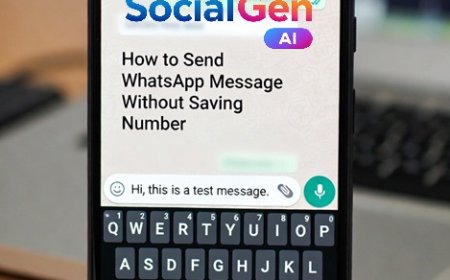



How to Send WhatsApp Message Without Saving Number Using SocialGen AI
Learn how to use SocialGen AI app to send direct WhatsApp messages without saving a new number. Easy, fast, and safe step-by-step guide.
How to Use SocialGen AI App to Send Direct WhatsApp Messages Without Saving a New Number
Have you ever needed to send a WhatsApp message to someone just once—like a customer, delivery person, freelancer, or service provider—but didn’t want to clutter your phonebook with another contact? If yes, you’re not alone. This is a very common frustration for WhatsApp users.
The good news? SocialGen AI makes this super easy. With this app, you can send a direct WhatsApp message without saving the number—quickly, safely, and in just a few taps.
In this article, I’ll walk you through exactly how to do it, along with practical use cases and tips to get the most out of the SocialGen AI app.
Why People Want to Send WhatsApp Messages Without Saving Numbers
Before jumping into the steps, let’s understand why this feature is so useful:
-
📦 Messaging delivery agents or service providers
-
🛒 Contacting sellers from online marketplaces
-
💼 Sending quick messages to clients or vendors
-
📞 Avoiding unnecessary contact list clutter
-
⏱️ Saving time instead of saving & deleting numbers
WhatsApp itself doesn’t officially provide this option—but apps like SocialGen AI bridge that gap beautifully.
What Is SocialGen AI?
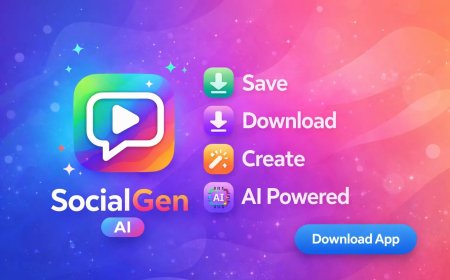
SocialGen AI is an all-in-one social utility app designed to simplify daily social media and messaging tasks. Along with AI tools like caption and hashtag generation, it also offers a Direct WhatsApp Message feature that lets you chat instantly—without saving any contact.
This makes it especially useful for professionals, small business owners, and everyday users.
How to Send a Direct WhatsApp Message Using SocialGen AI (Step-by-Step)
Follow these simple steps 👇
Step 1: Install and Open SocialGen AI
Download SocialGen AI from the Google Play Store and open the app on your Android device.
Step 2: Find the “Direct Message” Feature
On the home screen or tools section, look for an option like:
-
Direct WhatsApp
-
Chat Without Saving Number
-
Send WhatsApp Message
Tap on it to continue.
Step 3: Enter the Mobile Number
-
Select the correct country code (e.g., +91 for India)
-
Enter the mobile number you want to message
⚠️ Make sure the number is registered on WhatsApp.
Step 4: Click on "Start Chat"
Step 5: Tap “Send” or “Send WhatsApp Messgae”
Once you tap the button:
-
WhatsApp opens automatically
-
A chat window appears with that number
-
The message is ready to send—without saving the contact
That’s it! 🎉
Real-Life Use Cases Where This Feature Shines
Here’s where this feature really proves its value:
🔹 Business & Freelancers
Send payment reminders, quotations, or follow-ups without adding every client to contacts.
🔹 Online Buyers & Sellers
Quickly message OLX, Facebook Marketplace, or local sellers.
🔹 One-Time Communication
Delivery agents, technicians, drivers—message them once and move on.
🔹 Clean Contact List Lovers
No more deleting temporary contacts later!
Is It Safe to Use?
Yes. SocialGen AI simply uses WhatsApp’s official click-to-chat method.
✔️ No login required
✔️ No access to your contacts
✔️ No message data stored
Your privacy stays intact.
If you frequently send WhatsApp messages to new or temporary numbers, SocialGen AI is a must-have app. Its direct messaging feature saves time, keeps your contacts clean, and makes communication effortless.
No saving. No deleting. Just message and move on.
Give it a try—you’ll wonder how you managed without it. 😊
What's Your Reaction?
 Like
0
Like
0
 Dislike
0
Dislike
0
 Love
0
Love
0
 Funny
0
Funny
0
 Angry
0
Angry
0
 Sad
0
Sad
0
 Wow
0
Wow
0