






























How to Use AI Caption Generator in SocialGen AI App
Learn how to generate Instagram and WhatsApp captions easily using the AI Caption Generator in the SocialGen AI Android app.
How to Use AI Caption Generator in SocialGen AI App (Create Captions in Seconds)
If you post regularly on Instagram or WhatsApp, you already know the hardest part isn’t the photo or video.
It’s the caption.
That awkward pause where you stare at the screen thinking:
“What should I write that actually sounds good?”
That’s where the AI Caption Generator inside SocialGen AI quietly becomes a lifesaver. It’s one of those features you don’t notice at first—but once you use it, you start relying on it.
Why the AI Caption Generator Is a Hidden Gem
This feature doesn’t try to be complicated or flashy. It does one thing—and does it well:
👉 Helps you write captions fast, naturally, and in the right tone.
Whether you’re posting a Reel, a WhatsApp status, or a promotional post, it removes the pressure of coming up with words from scratch.
Step-by-Step: How to Use AI Caption Generator in SocialGen AI
Using this tool is refreshingly simple.
First download the SocialGen AI
Step 1: Open AI Captions Generator
Launch the SocialGen AI app and tap on AI Captions Generator from the home screen.
Step 2: Enter Your Topic
Type what your post is about.
This could be:
-
A photo
-
An Instagram Reel
-
Your mood
-
An event or occasion
You don’t need perfect sentences—just the idea.
Step 3: write Caption Style
Select the style that fits your post best:
-
Cool
-
Professional
-
Fun
-
Motivational
This small step makes a big difference in how the caption sounds.
Example: Motivational quote for time with friends
Step 4: Generate Captions
Tap Generate, and the app instantly gives you caption options.
Step 5: Copy & Paste
Pick the one you like and copy-paste directly to Instagram or WhatsApp.
No editing required (though you can tweak it if you want).
How I Personally Use This Feature
From real use, I’ve found this tool especially useful for:
-
Instagram Reels – quick, engaging captions
-
WhatsApp status lines – short and meaningful text
-
Promotional posts – clear and professional wording
It genuinely saves time and completely removes that
👉 “what should I write?” moment.
Other Useful Features Inside SocialGen AI
Even beyond the AI Caption Generator, SocialGen AI packs several smart tools that work well together:
🔹 AI Hashtag Generator
Helps you find relevant hashtags for better reach and visibility.
🔹 Fancy Text Generator
Creates stylish fonts for:
-
Instagram bios
-
WhatsApp chats
-
Status updates
🔹 Direct Message Tool
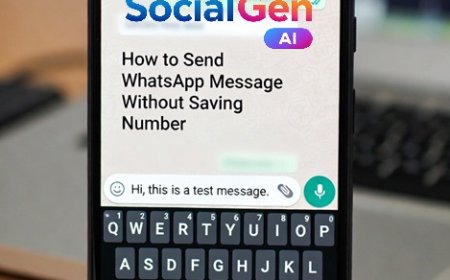
Send WhatsApp messages without saving numbers—very handy for quick communication.
🔹 Saved Files Section
All your downloaded photos and videos are organized neatly in one place.
What I like most is that everything is placed logically. You don’t waste time searching for features—the app feels intuitive from the first use.
Who Should Use the AI Caption Generator?
This feature is perfect for:
-
Content creators
-
Small business owners
-
Students
-
Social media managers
-
Anyone who posts regularly
If captions slow you down or feel repetitive, this tool quietly fixes that.
Final Thoughts: Small Tool, Big Time Saver
From personal experience, this is what stands out:
👉 Captions sound natural, not robotic
👉 Styles match different moods and platforms
👉 You save time without sacrificing quality
The AI Caption Generator in SocialGen AI doesn’t try to replace your creativity—it simply supports it when you need a push.
Once you start using it, going back to writing captions from scratch feels unnecessary.
What's Your Reaction?
 Like
0
Like
0
 Dislike
0
Dislike
0
 Love
0
Love
0
 Funny
0
Funny
0
 Angry
0
Angry
0
 Sad
0
Sad
0
 Wow
0
Wow
0