


















How to Design a Business Card in 10 Minutes Using ChatGPT (Step-by-Step Guide + Free Prompt)
Learn how to create a professional visiting card using ChatGPT with ready-to-use prompts, design tips, and step-by-step guide.
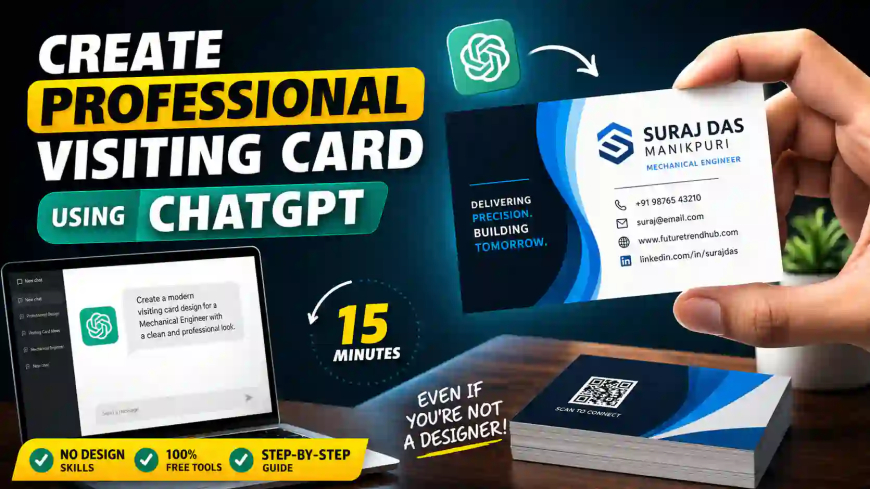
🎯 How to Create a Professional Visiting Card Using ChatGPT (Free + Step-by-Step Guide)
Let’s be honest…
Most people don’t take visiting cards seriously — until they actually need one.
In real life (especially in India), a visiting card still works like magic:
👉 Site visit ho, client meeting ho, ya networking event — first impression yahi banata hai
Now here’s the interesting part:
👉 You don’t need a designer anymore
Using ChatGPT + free tools, you can create a clean, professional visiting card in under 30 minutes — even if you have zero design experience.
⚡ Quick Answer (What You’ll Learn)
👉 ChatGPT helps you:
- Generate content (name, tagline, layout)
- Suggest design ideas
- Recommend colors & fonts
👉 Then you use tools like:
- Canva (free)
- Adobe Express
👉 Final result:
✅ Ready-to-print professional visiting card
💡 What is a Professional Visiting Card (Simple Explanation)
A visiting card is not just contact details.
It represents:
- Your identity
- Your profession
- Your personal brand
✅ Must-Have Information:
- Name & designation
- Company / brand name
- Phone number & email
- Website / LinkedIn
🔥 Pro Insight:
👉 Think of it as a mini advertisement of yourself
🤖 Why Use ChatGPT for Visiting Card Design?
Earlier process:
❌ Find designer
❌ Wait for revisions
❌ Pay ₹500–₹3000
Now:
👉 Just type a prompt → get instant structured design
✅ Real Benefits (Practical Experience)
- ⏱ Saves hours
- 💰 Zero cost
- 🎯 Profession-based customization
- 💡 Fresh creative ideas
👉 Best for:
- Engineers
- Freelancers
- Small business owners
⚠️ What ChatGPT Can & Cannot Do
✔ What It CAN Do:
- Suggest layout (front/back)
- Generate professional content
- Recommend colors & fonts
- Give design structure
❌ What It CANNOT Do:
- Create final printable design
👉 You still need tools like Canva
🛠️ Step-by-Step: Create Visiting Card Using ChatGPT
Now let’s go practical.
🧩 Step 1: Define Your Purpose
Before using ChatGPT, decide:
- Your profession
- Style (minimal / corporate / creative)
- Target audience
👉 Example:
Mechanical engineer → clean & professional design (not flashy)
✍️ Step 2: Use This Proven Prompt
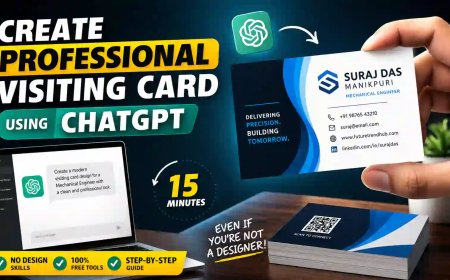
Act as a professional graphic designer. Create a modern and professional visiting card design for a Mechanical Engineer.
Include:
Name, designation, company, phone, email, website
Design Style:
Minimal, clean, professional colors (blue/black/white)
Also suggest:
Font styles, color codes, tagline, front & back layout
👉 This gives you a ready-made structure in seconds
🎯 Step 3: Customize the Output
Don’t just copy — improve it.
Add:
- Your logo
- Brand colors
- QR code
💡 Pro Tip:
👉 Add QR code linking to LinkedIn or portfolio → increases engagement instantly
🎨 Step 4: Convert into Real Design (Canva Method)
Go to Canva → Search “Business Card”
Then:
- Select template
- Replace text
- Apply ChatGPT suggestions
👉 Done in 15–20 minutes
🖨️ Step 5: Printing (Most Ignored Step)
Even a great design can fail with poor printing.
Recommended Specs:
- Size: 3.5 × 2 inches
- Paper: 300–350 GSM
- Finish: Matte (best for professional use)
🧪 Real Example Layout (Simple & Effective)
Front Side:
- Name (bold)
- Designation
- Company
Back Side:
- Contact details
- Website / QR code
- Tagline
⚡ Golden Rule:
👉 Simple = Professional
👉 Over-design = amateur look
🎯 Best Visiting Card Design Styles
1. Minimal (Recommended)
- Clean layout
- 2–3 colors
- Easy readability
👉 Best for engineers & professionals
2. Corporate Style
- Logo-focused
- Structured layout
- Formal design
👉 Best for companies
3. Creative Style
- Bold fonts
- Unique layout
👉 Best for freelancers
🚫 Common Mistakes to Avoid
Most beginners make these mistakes:
❌ Too much text
❌ Bright/unprofessional colors
❌ Poor font selection
❌ Low-quality printing
✅ Fix:
👉 Keep it clean, simple, and readable
📲 Should You Add a QR Code?
👉 100% YES
Benefits:
- Instant contact saving
- Portfolio access
- Website visit
👉 Makes your card modern & smart
🇮🇳 Practical Tip for India
For Indian use:
✔ Add WhatsApp number
✔ Use simple English
✔ Avoid fancy fonts
👉 Makes it more usable in real situations
🔮 Final Verdict (Honest Answer)
👉 ChatGPT will not design the card directly
👉 But it gives you 80% of the work done
Simple Formula:
👉 ChatGPT = Brain
👉 Canva = Design
👉 Result = Professional visiting card in minutes
❓ FAQs
Q1. Can ChatGPT design a visiting card?
👉 No, but it generates content & layout ideas
Q2. Is this method free?
👉 Yes, using ChatGPT + Canva free plan
Q3. How much time does it take?
👉 15–30 minutes
Q4. Can I print directly?
👉 Yes, download PDF and print
🚀 Final Note (Important)
If you’re still paying ₹1000+ for basic visiting cards…
👉 You’re overpaying
With ChatGPT, you:
✔ Save money
✔ Save time
✔ Get full control
What's Your Reaction?
 Like
1
Like
1
 Dislike
0
Dislike
0
 Love
0
Love
0
 Funny
0
Funny
0
 Angry
0
Angry
0
 Sad
0
Sad
0
 Wow
0
Wow
0